
News
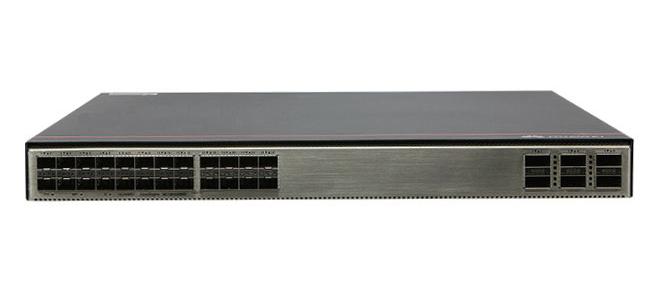
Huawei S6730-H24X6C Comprehensive Guide
The Huawei S6730-H24X6C is a next-generation, high-performance switch designed to meet the demands of modern networking environments. Combining high-speed connectivity, scalability, energy efficiency, and advanced management capabilities, this switch stands as an ideal solution for data centers, enterprise networks, and campus environments. This guide explores the features, technical specifications, applications, and advantages of the Huawei S6730-H24X6C, providing a complete overview of why thi
22 Jan, 2025
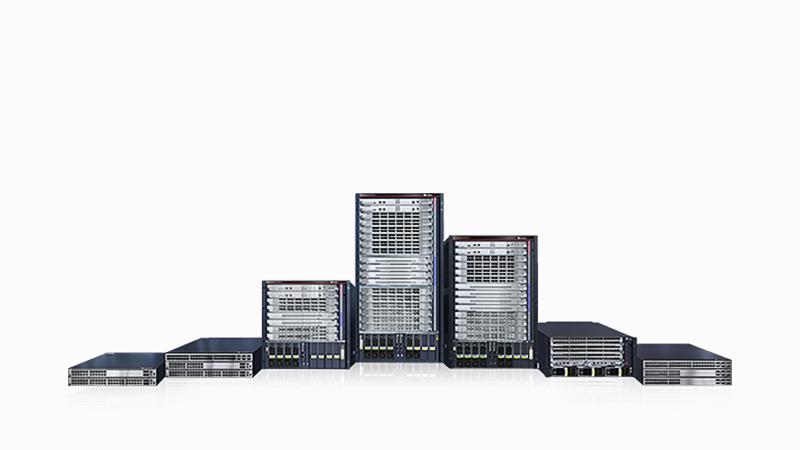
Huawei Switches Visio Stencils
Huawei switches are robust networking solutions known for their performance, reliability, and versatility. These switches cater to diverse network requirements, from small businesses to large enterprises. The Visio stencils provided by Huawei help IT professionals efficiently design, plan, and document their network architecture with precision and clarity.
03 Jan, 2025

Huawei Switches Distributor in UAE
Huawei switches are renowned for their performance, reliability, and advanced technology. As businesses in the UAE increasingly rely on robust networking solutions, Huawei has emerged as a preferred choice for organizations looking for scalability and efficiency. From small enterprises to large corporations, Huawei switches cater to diverse networking needs.
03 Jan, 2025
Huawei Switches: Comprehensive Guide and Insights
Overview of Huawei Switches Huawei switches are among the leading solutions for networking and connectivity, offering advanced features for enterprises, small businesses, and service providers. With a focus on performance, scalability, and cost-efficiency, Huawei switches have become a top choice in the IT and telecommunications industries.
26 Dec, 2024
Huawei router interfacing with Cisco router, OSPF neighbors cannot be established
Problem Description Huawei NE40E router interfaces with Cisco C7304 router, set the same segment IP through subinterfaces, and both subinterfaces transmit VLAN 1, and run OSPF protocol, but the OSPF neighbors cannot be established in FULL state.
15 Jul, 2024
Vanuatu PM visits Huawei to view policing technology
15 Jul, 2024

Huawei S6700: How to Configure the MTU Value of an Interface
The network layer generally wants to limit the maximum length of each packet sent. Any time the network layer receives an IP packet to send, it determines which local interface to send the data to and queries that interface to obtain its Maximum Transmission Unit (MTU). The network layer compares the MTU value with the length of the IP packet to be sent. If the length of the IP packet is greater than the MTU value, then the IP packet needs to be fragmented, and the length of the fragmented packe
08 Jul, 2024
Huawei Switch S6700 Configuring the Traffic Statistics Interval
By configuring the traffic statistics interval function of an interface, users can count and analyze the messages of interest. At the same time, network congestion and service interruption can be avoided by checking the traffic statistics of the interface in advance and taking timely measures for traffic control.
08 Jul, 2024
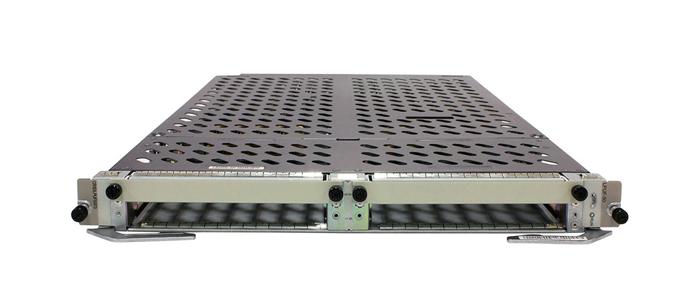
Huawei NE router: forget console password, how to recover it
First, Enter the bootrom menu: 1. connect the device through the Console port. 2. Reboot the device. During the device boot process, the following device boot information appears in the window of Hyper Terminal. 3. Press Ctrl+B to enter Main Menu... 3. Press Ctrl+B within 3 seconds after the message appears. 4. enter the boot main menu password to enter the boot main menu, for V800R011C10 and its previous versions, the default value of the password is WWW@HUAWEI
08 Jul, 2024