
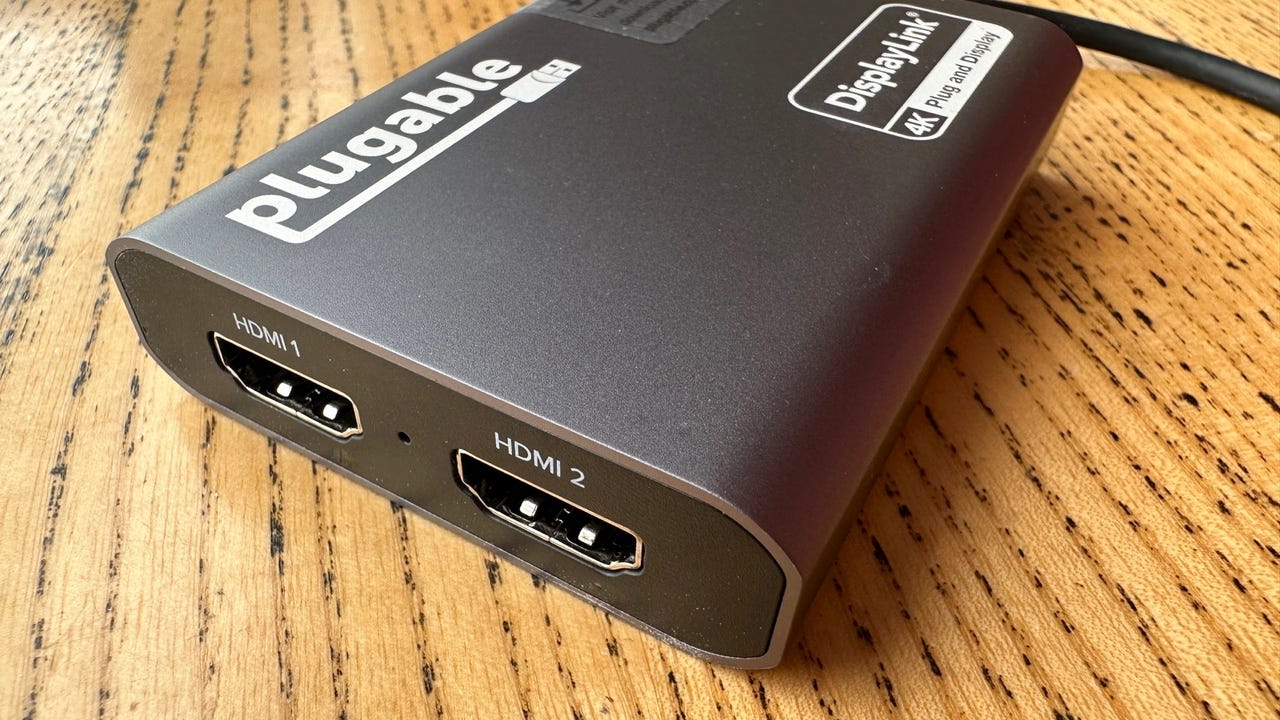
Plugable USB-C Dual HDMI adapter
Key takeaways
- The Plugable USB-C Dual HDMI adapter is available on Amazon for $90 .
- It's small, portable dual-HDMI adapter that supports dual 4K 60Hz displays from a single Thunderbolt, USB4, or USB-C port, compatible with macOS 11+, Windows 10+, and ChromeOS 100+ systems.
- This adapter requires drivers to be installed to make use of DisplayLink, and it does not support High-bandwidth Digital Content Protection (HDCP) digital rights management.
There's nothing like attaching a couple of extra displays to a laptop to boost productivity. Sure, it isn't mobile anymore, but you gain the ability to transform your device into a powerful, versatile desktop setup.
The problem is, that not all laptops natively support dual displays, not even quite powerful, high-end systems such as the base M1, M2, and M3-powered Macs. These MacBooks only support a single external monitor.
Also: I love everything about this budget Android tablet (especially the price)
So, what can you do?
A simple solution is to use a USB-C to dual-HDMI dongle, such as the Plugable USB-C Dual HDMI adapter .
View at AmazonPlugable USB-C Dual HDMI adapter tech specs
- Connection to host: USB-C, Thunderbolt, or USB4
- OS compatibility: macOS, Windows, and ChromeOS
- Number of displays supported: 2
- Ports: 2 x HDMI
- Max resolution: 3840x2160 @ 60Hz
- Driver installation required: Yes
- HDCP support: No
Laptops were supposed to free us from the shackles of a desk and big displays. But as the power of portable systems has increased exponentially over the years, a laptop can now rival the power of a desktop, so it makes sense to have a single system for the office and for when you're on the move. The only drawback is the display -- there's nothing like sitting in front of a couple of 4K displays to boost productivity.
Plugable USB-C Dual HDMI adapter
This is exactly what the Plugable USB-C Dual HDMI adapter offers, and it works even on systems that don't natively support dual displays. Plug it into a USB-C, Thunderbolt, or USB4 port, install the relevant DisplayLink drivers (a process that's automatic on Windows systems, Mac users will have to go find them), and you're done.
It's really that simple.
Also: This thermal camera gives your iPhone a cool superpower
While the target market for this adapter includes owners of Macs with the base M1, M2, or M3 chips -- processors that don't natively support dual displays -- it also works on Windows and ChromeOS systems.
I've tested this adapter with dual 4K displays attached, and it works reliably on both macOS and Windows -- the sort of reliability that I'd expect from a Plugable device.
's buying advice
Not everyone needs dual 4K displays connected to their laptop, but if you're among those who do, the Plugable USB-C Dual HDMI adapter is a great buy if you find yourself with a system that doesn't support two displays. At $90, it's not cheap, but it is a solid, reliable solution that works well.
Featured reviews
-
LG showed me its retro-themed projector and it's even better than I expected
-
How I optimized the cheapest 98-inch TV right now to look and sound amazing
-
The Blink Mini 2's weather resistance makes for a worthy Wyze Cam competitor
-
I tried LG's new Gram Pro laptops, and they beat my MacBook Air in 3 ways
-
This $350 Android phone nearly made me forget about the flagships