
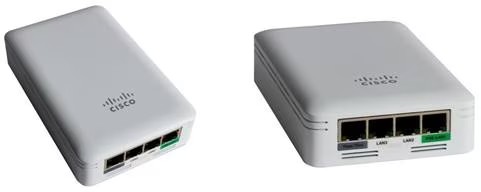
This article will describe LED status codes during startup on a Cisco Business Wireless (CBW) network.
Applicable Devices | Firmware Version
- CBW 140AC Access Point (Data Sheet) | 10.6.1.0 (Download latest)
- CBW 145AC Access Point (Data Sheet) | 10.6.1.0 (Download latest)
- CBW 240AC Access Point (Data Sheet) | 10.6.1.0 (Download latest)
- CBW 141ACM Mesh Extender (Data Sheet) | 10.6.1.0 (Download latest)
- CBW 142ACM Mesh Extender (Data Sheet) | 10.6.1.0 (Download latest)
- CBW 143ACM Mesh Extender (Data Sheet) | 10.6.1.0 (Download latest)
Introduction
Once you have your Cisco Business Wireless network set up and running, a blinking green LED indicates that an access point is ready to receive clients. A solid green LED indicates that at least one client is attached. But what about when the AP is booting up?
Bootup LED codes are a little more complex. Subtle distinctions can mean different things. Keep reading to find out what you might see and what the codes mean.
Three different “blinking green” patterns
- A fast pattern (about 2x per second)
- A slow pattern (½ second on followed by ½ second off)
- A second slow pattern that looks more like a brief flash once per second (off for most of every second). This is the only pattern that indicates that the AP is ready to receive clients.
LED Stages During Startup
| LED state | Actions |
|---|---|
| Solid Red | Powering up. |
| Blinking Green (fast) | Initial startup; booting kernel. |
| Solid Green | Continuing startup: loading software. |
| Blinking Green (slow/even) | Loading drivers and services. |
| Cycling Colors (Red/Amber/Green) | Successfully started services; stopping services that are no longer needed. |
| Blinking Red | Starting CAPWAP process; initializing radios; IP address assignment (note that IP address assignment is the last thing to happen in this stage; if it fails, the AP gets stuck in the blinking red stage). |
| Cycling Colors (Red/Amber/Green) | CAPWAP process (AP joining Management) |
| Blinking Green (slow/flash) | Finishing startup; ready to receive clients. |
Conclusion
That’s it. You now have a better understanding of the LED status codes you might see at bootup.
Want to learn more about your CBW network? Check out any of the following links below for more information.
Intro to MeshMesh FAQCisco Business Wireless Model DecoderReboot TipsReset to Factory DefaultDay Zero:Configure Via App / WebMobile App vs Web UIBest Practices for a Cisco Business Wireless Mesh NetworkAllow ListsUpdate SoftwareGet Familiar with the CBW AppTroubleshootingTime SettingsTroubleshoot Red LEDBridge Group Names
Cisco Wireless AP and Controllers
For Cisco product list and quote, please visit: https://www.hi-network.com/categories/cisco or contact us at www.hi-network.com (Email: [email protected])