
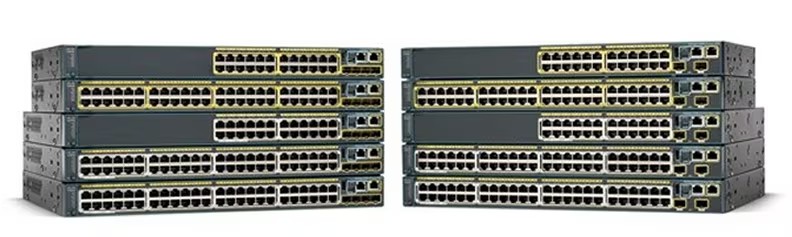
The Cisco Catalyst 2960 Series switches are reliable Layer 2 fixed configuration switches widely used in enterprise, campus, and branch networks. Known for stability and performance, they deliver secure connectivity for small to medium-sized networks. This guide provides a step-by-step walkthrough for performing password recovery on Cisco 2960 switches without losing configuration data.
Part 1: Password Recovery on Cisco 2960 Switch
The following procedure helps you recover the enable mode password without losing the existing configuration file. Applicable to Cisco Catalyst 2950, 2960, and 2970 series switches.
Step 1: Connect Console Cable
Connect your PC or terminal to the console port using terminal software (PuTTY, TeraTerm, or minicom).
Bits per second (baud): 9600
Data bits: 8
Parity: None
Stop bits: 1
Flow Control: Xon/Xoff
Step 2: Power Cycle with Mode Button
Power off the switch. Press and hold the Mode button, then reconnect power. Release when the SYST LED changes from amber to solid green. The switch: prompt should appear in your terminal.
Step 3: Initialize Flash
switch: flash_init
Step 4: Rename Config File
switch: dir flash:
switch: rename flash:config.text flash:config.text.old
Step 5: Boot the System
switch: boot
When prompted for initial configuration dialog, type no.
Step 6: Restore Configuration
Switch> enable
Switch# rename flash:config.text.old flash:config.text
Switch# copy flash:config.text system:running-config
Step 7: Reset Passwords
Switch# configure terminal
Switch(config)# enable secret NewP@ssw0rd
Switch(config)# line vty 0 15
Switch(config-line)# password NewVTYpass
Switch(config-line)# login
Switch(config-line)# line con 0
Switch(config-line)# password NewConsolePass
Switch(config-line)# end
Step 8: Save Configuration
Switch# write memory
Part 2: Common Issues During Recovery
▪ Flash Not Detected: If dir flash: returns “no such device,” re-run flash_init or verify hardware model.
▪ MODE Button Reset Failure: Holding the button >10 seconds may disable management access instead of restoring it.
▪ Missing Config File: If config.text is missing or corrupted, configuration cannot be restored.
Part 3: Best Practices & Prevention Tips
▪ Use strong, complex administrative passwords with mixed characters.
▪ Regularly back up configuration file (copy running-config tftp:).
▪ Keep IOS updated to avoid firmware-specific password recovery issues.
▪ Document passwords securely and limit administrative access to trusted users.
Part 4: Conclusion
The password recovery process for Cisco Catalyst 2960 switches is straightforward when followed carefully. By renaming the configuration file before booting, you ensure that no network settings are lost during recovery. This procedure restores access to the device without requiring a full factory reset.
Cisco Catalyst 2960 Series Switches
Cisco All Series Switches New and Refurbished
For Cisco product list and quote, please visit: https://www.hi-network.com/categories/cisco or contact us at www.hi-network.com (Email: [email protected])