
Hybrid work has turned internal comms into a business-critical function. It's especially important for orgs that work remotely across different time zones, not to mention those that rely on a ton of field work or those that completely forgo physical office space.
Now, a good internal communication platform will help you undo the silos that keep employees across departments and functions from working in tandem. It will also support different workflows, sync with other business applications, facilitate virtual meetings, and sometimes even help manage projects.
Get more in-depth tech coverage: Add us as a preferred Google source on Chrome and Chromium browsers.
Best personal data removal service deals of the week
-
Incogni - Exclusive Deal: 55% Off Incogni Individual Annual Plan With Code "" :$162 (save $198)
What is the best internal communication software right now?
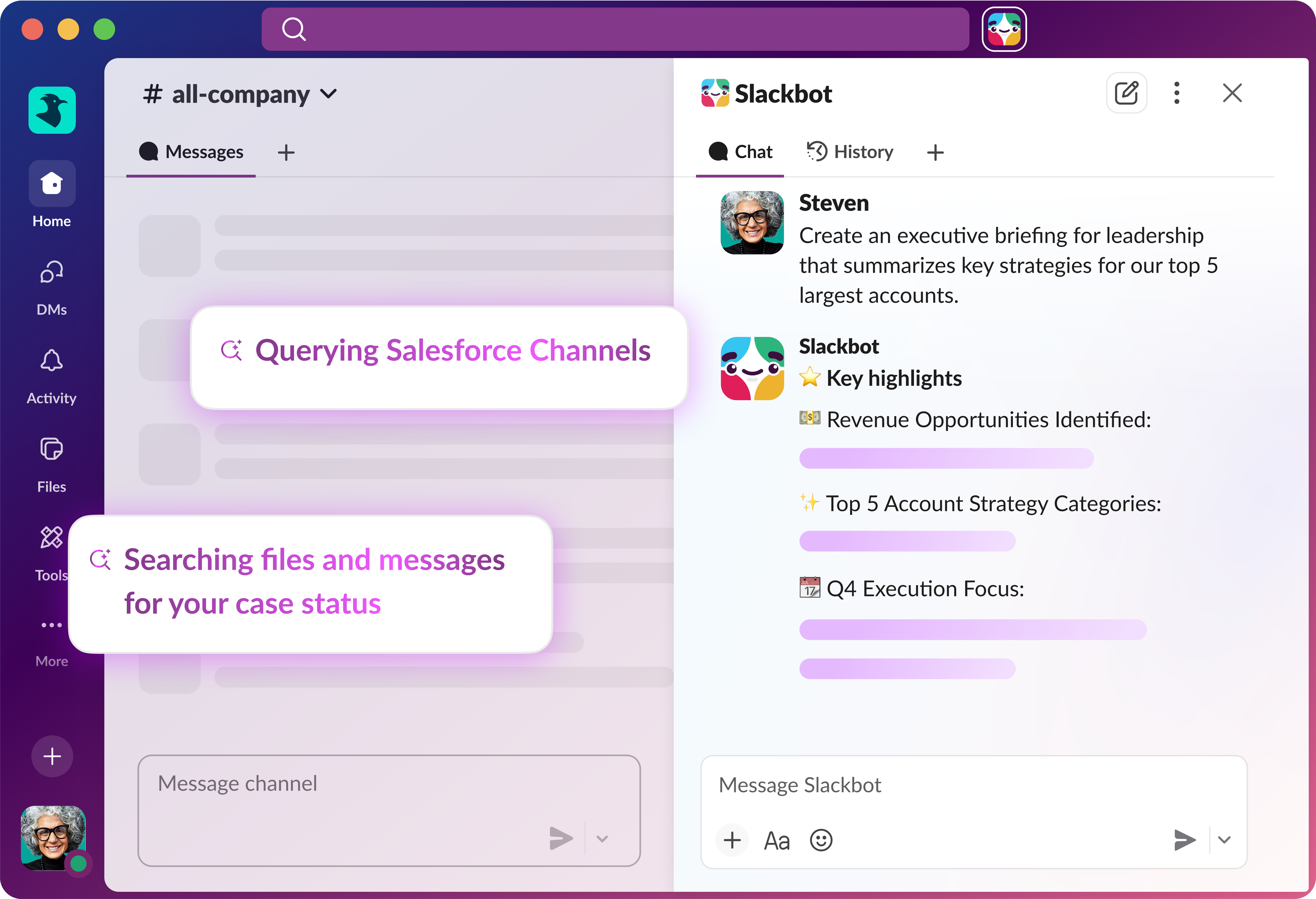
Slack is my best overall pick for an internal communication tool. Its channel-based structure organizes conversations by team, topic, or project. Updates remain visible and searchable instead of being buried in email threads. With over 2,600 app integrations, Slack doubles as a collaboration hub that pulls data from the tools your team already uses.
But that's not the only option you have. Here, I've prioritized platforms that equip your team with everything while also keeping managers informed about staff engagement and usage.
Also: The best private messaging apps
The best internal communication tools of 2026
Slack offers four main pricing tiers, with the Pro plan at $7.25 per user monthly on annual billing. The platform revolutionized workplace chat by organizing conversations into channels instead of endless group threads. I've found this structure makes it incredibly easy to keep different projects and teams separate while still maintaining visibility across the organization.
What impressed me most during recent tests was how well Slack handles integrations now. The platform connects with over 1,000 third-party apps, turning it into a central hub for your entire workflow. You can receive notifications from project management tools, approve requests, and even deploy code without leaving Slack.
Also: I love Slack's new Lists feature so much I wish it was a standalone app
The video huddle feature feels effortless compared to scheduling traditional video calls. Just click a button and teammates can drop in and out as needed. Slack recently added AI features across paid plans, including conversation summaries and huddle notes, which significantly reduces time spent catching up on missed discussions.
The free plan limits message history to 90 days and caps integrations at 10 apps, which quickly becomes restrictive. But for teams ready to invest, Slack delivers exceptional value through improved communication speed and reduced email volume.
Slack features: Organized channels | Video huddles | File sharing | Workflow automation | App integrations | AI-powered search | Thread conversations
- Extensive integration options
- Intuitive channel organization
- Powerful search functionality
- Pricing jumps after intro period
- Can feel overwhelming initially
- Message history limits on free plan
Slack
Best internal communication tool overall
Slack offers four main pricing tiers, with the Pro plan at $7.25 per user monthly on annual billing. The platform revolutionized workplace chat by organizing conversations into channels instead of endless group threads. I've found this structure makes it incredibly easy to keep different projects and teams separate while still maintaining visibility across the organization.
What impressed me most during recent tests was how well Slack handles integrations now. The platform connects with over 1,000 third-party apps, turning it into a central hub for your entire workflow. You can receive notifications from project management tools, approve requests, and even deploy code without leaving Slack.
Also: I love Slack's new Lists feature so much I wish it was a standalone app
The video huddle feature feels effortless compared to scheduling traditional video calls. Just click a button and teammates can drop in and out as needed. Slack recently added AI features across paid plans, including conversation summaries and huddle notes, which significantly reduces time spent catching up on missed discussions.
The free plan limits message history to 90 days and caps integrations at 10 apps, which quickly becomes restrictive. But for teams ready to invest, Slack delivers exceptional value through improved communication speed and reduced email volume.
Slack features: Organized channels | Video huddles | File sharing | Workflow automation | App integrations | AI-powered search | Thread conversations
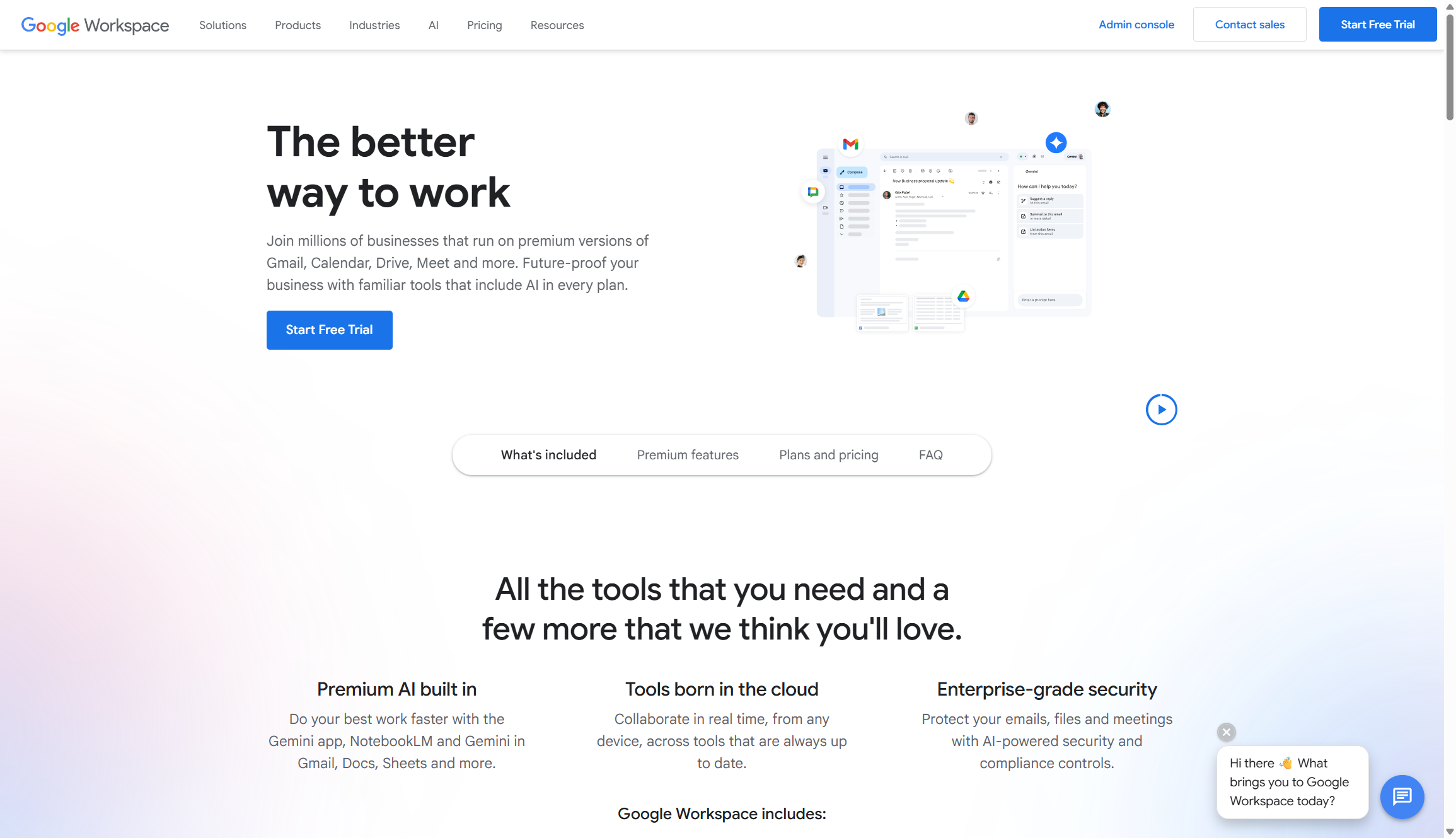
Google Workspace pricing starts at $7 per user monthly on annual plans for Business Starter, with recent increases incorporating Gemini AI. The platform takes a different approach from dedicated chat apps by centering communication around email and documents. It all works exceptionally well for teams that value asynchronous communication.
Workspace enhances document collaboration in ways other platforms can't match. Multiple people can edit the same spreadsheet, presentation, or document simultaneously with changes appearing in real-time. The comment and suggestion features make feedback loops incredibly fast.
Also: Your Google Chat history can now be searched by Gemini - how it works
Starting in March 2025, Google bundled Gemini AI features directly into Business and Enterprise plans without requiring add-ons. These AI tools help draft emails, summarize documents, and generate meeting notes automatically. Fortunately, the integration feels natural rather than forced.
Gmail remains the backbone of business email, and having your chat, video, and documents tied directly to your inbox creates powerful workflows. Business Standard includes 2TB of pooled storage per user, which is more than sufficient for most teams. The mobile experience mirrors desktop functionality beautifully, making it easy to stay productive from anywhere.
Google Workspace features: Gmail integration | Google Meet video | Shared drives | Real-time document editing | Calendar scheduling | Chat spaces | Mobile apps
- Familiar interface for most users
- Seamless document collaboration
- Robust email integration
- Recent price increases
- AI features not optional
- Limited customization options
Google Workspace
Best for async workplaces
Google Workspace pricing starts at $7 per user monthly on annual plans for Business Starter, with recent increases incorporating Gemini AI. The platform takes a different approach from dedicated chat apps by centering communication around email and documents. It all works exceptionally well for teams that value asynchronous communication.
Workspace enhances document collaboration in ways other platforms can't match. Multiple people can edit the same spreadsheet, presentation, or document simultaneously with changes appearing in real-time. The comment and suggestion features make feedback loops incredibly fast.
Also: Your Google Chat history can now be searched by Gemini - how it works
Starting in March 2025, Google bundled Gemini AI features directly into Business and Enterprise plans without requiring add-ons. These AI tools help draft emails, summarize documents, and generate meeting notes automatically. Fortunately, the integration feels natural rather than forced.
Gmail remains the backbone of business email, and having your chat, video, and documents tied directly to your inbox creates powerful workflows. Business Standard includes 2TB of pooled storage per user, which is more than sufficient for most teams. The mobile experience mirrors desktop functionality beautifully, making it easy to stay productive from anywhere.
Google Workspace features: Gmail integration | Google Meet video | Shared drives | Real-time document editing | Calendar scheduling | Chat spaces | Mobile apps
Microsoft Teams pricing starts at $4 per user monthly for Essentials, while Business Standard costs $12.50 per user monthly on annual billing. It's a bit trickier to set up than Google Workspace, but large enterprises already invested in Microsoft's ecosystem will find Teams incredibly compelling.
Over the years, I've watched Teams evolve from a basic chat tool into a comprehensive collaboration platform. It supports video meetings with up to 300 participants on paid plans, making it suitable for company-wide town halls and large training sessions.
Also: Microsoft Copilot is taking over Teams. Here's how AI will shape your daily workflow
The platform works best when paired with Word, Excel, and PowerPoint documents. You can co-edit files directly within Teams without jumping between applications. Meeting recordings automatically save to SharePoint with searchable transcripts. Business Standard includes desktop versions of Office apps, which many knowledge workers still prefer over browser-based alternatives.
Security and compliance features set Teams apart for regulated industries. Business Premium includes advanced threat protection and data loss prevention that meet stringent enterprise requirements. Be warned the learning curve can be steep initially, but IT teams appreciate the granular control over permissions and policies.
Microsoft Teams features: Teams and channels | Video conferencing | Office app integration | File collaboration | Meeting recordings | Enterprise security | Compliance tools