
Video calls are exhausting. You're juggling screen sharing, managing participants, and dealing with spotty connections. The last thing you need is headache-inducing software.
Zoom became very popular during the pandemic, but it's not your only option for video conferencing. Google Meet integrates seamlessly with your calendar. Microsoft Teams works better for enterprises. Platforms like Whereby require zero downloads. I've tested these platforms many times over my career, reviewing B2B software, watching them evolve with each major update. Some got better, others stayed stagnant, and a few surprised me with features that genuinely improved my workday.
Get more in-depth tech coverage: Add us as a preferred Google source on Chrome and Chromium browsers.
What is the best Zoom alternative right now?
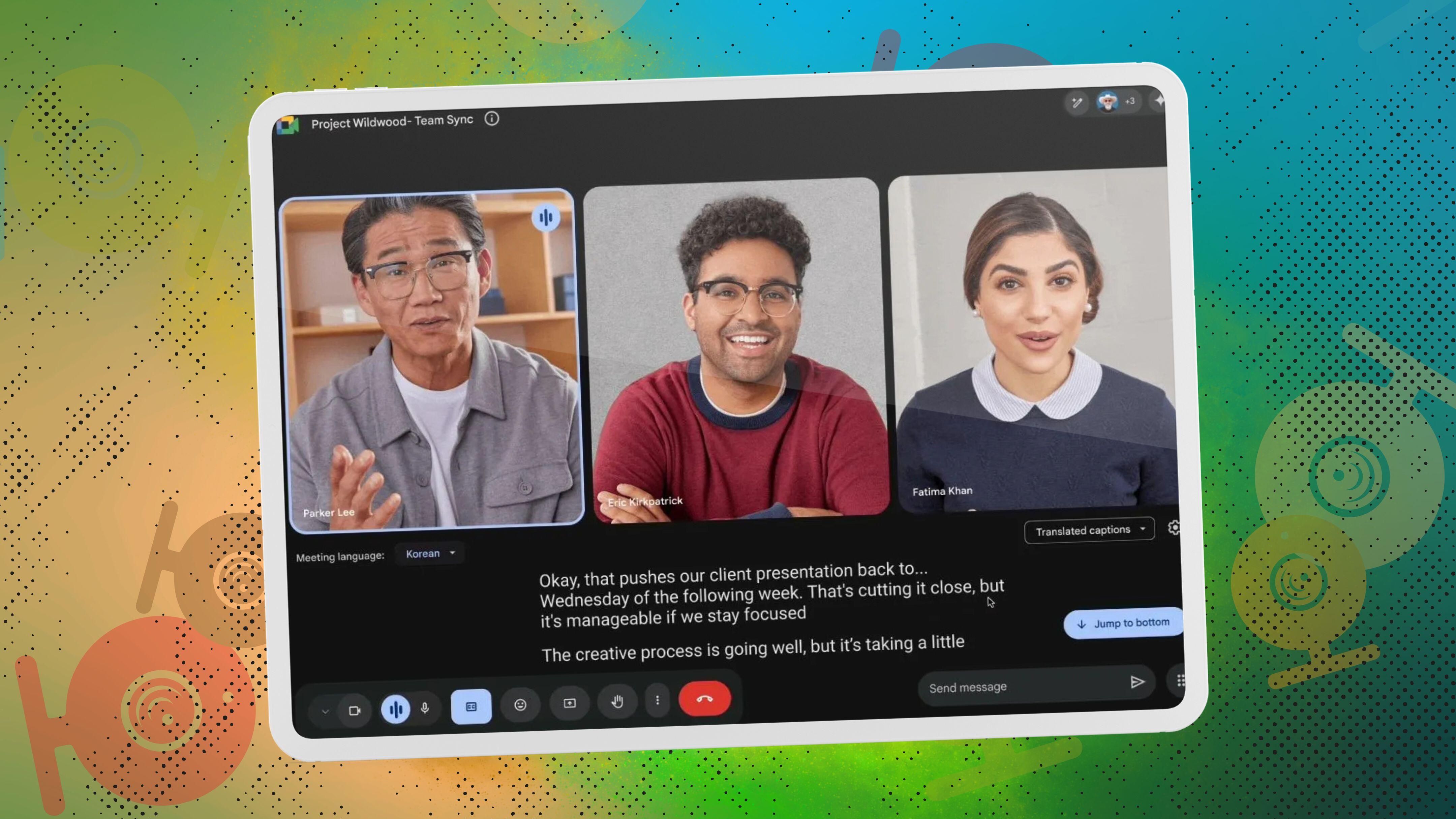
Google Meet takes the top spot for most teams. The platform supports up to 100 participants free and works directly in your browser. I particularly appreciate how it automatically pulls meeting details from Gmail and Calendar. No more copying links between apps.
Also: The best business messaging apps
The best Zoom alternatives of 2026
Google Meet has become my default recommendation for most teams, especially those already using Google Workspace. The free tier generously supports up to 100 participants, and everything runs smoothly in your browser without downloads. I found the automatic integration with Gmail and Calendar fully eliminates the constant back-and-forth of scheduling, which is a relief.
The video and audio quality consistently impressed me during testing. Google's noise-cancelation filters out background sounds without making voices sound robotic. This matters when you're on calls from coffee shops or busy homes. The platform now includes AI-powered features through Gemini integration on paid plans, offering meeting summaries and smart recaps that actually save time during follow-ups.
Also: This Google Meet tool could help you look better in meetings - even the early ones
Paid plans start at $6 per user monthly through Google Workspace Business Starter. This tier removes the 60-minute time limit and adds intelligent noise-cancelation plus dial-in numbers. The Business Standard plan at $12 monthly includes meeting recording saved directly to Google Drive, breakout rooms, and polling features that make interactive sessions much easier to manage.
The interface stays deliberately simple. Beginners appreciate this, but power users might find it limiting. You won't get the extensive customization options that platforms like Zoom offer, but most teams don't actually need those features anyway.
Google Meet features: Up to 500 participants | Meeting recording | Breakout rooms | Live captions | Noise cancellation | Screen sharing | Virtual backgrounds
- Works directly in browser
- Free for 100 participants
- Excellent Gmail/Calendar sync
- Limited customization options
- Recording requires a paid plan
- 60-minute limit on free
Google Meet
Best Zoom alternative overall
Google Meet has become my default recommendation for most teams, especially those already using Google Workspace. The free tier generously supports up to 100 participants, and everything runs smoothly in your browser without downloads. I found the automatic integration with Gmail and Calendar fully eliminates the constant back-and-forth of scheduling, which is a relief.
The video and audio quality consistently impressed me during testing. Google's noise-cancelation filters out background sounds without making voices sound robotic. This matters when you're on calls from coffee shops or busy homes. The platform now includes AI-powered features through Gemini integration on paid plans, offering meeting summaries and smart recaps that actually save time during follow-ups.
Also: This Google Meet tool could help you look better in meetings - even the early ones
Paid plans start at $6 per user monthly through Google Workspace Business Starter. This tier removes the 60-minute time limit and adds intelligent noise-cancelation plus dial-in numbers. The Business Standard plan at $12 monthly includes meeting recording saved directly to Google Drive, breakout rooms, and polling features that make interactive sessions much easier to manage.
The interface stays deliberately simple. Beginners appreciate this, but power users might find it limiting. You won't get the extensive customization options that platforms like Zoom offer, but most teams don't actually need those features anyway.
Google Meet features: Up to 500 participants | Meeting recording | Breakout rooms | Live captions | Noise cancellation | Screen sharing | Virtual backgrounds
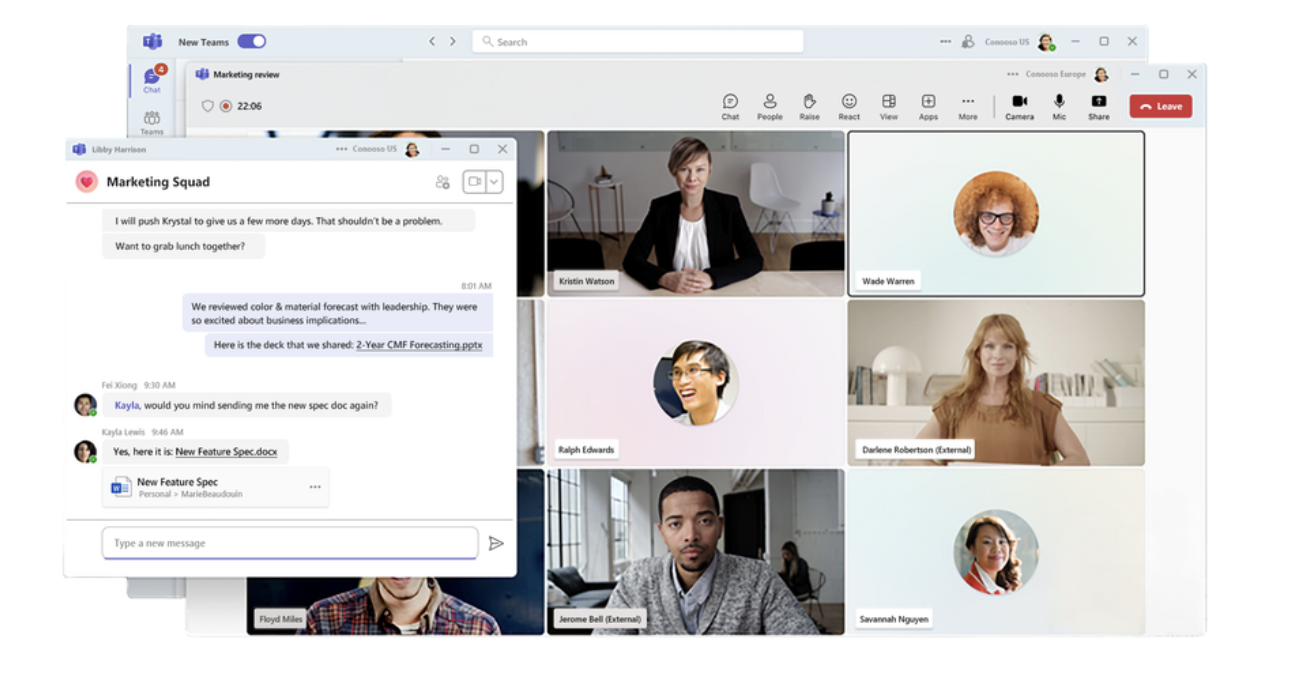
Microsoft Teams dominates in enterprise environments for good reason. The platform handles everything from quick video calls to massive company-wide broadcasts, with participant limits reaching 10,000 attendees on enterprise plans. I tested Teams multiple times over the last few years. The integration with Outlook, Word, Excel, and SharePoint creates a truly unified workspace with no context switching.
Security features justify the higher price tag for regulated industries. Teams includes end-to-end encryption, advanced compliance tools through Microsoft Purview, and granular administrative controls that IT departments actually need. The platform's Together Mode creates an interesting shared virtual space that makes larger meetings feel more engaging than traditional grid layouts.
Also: Microsoft Copilot is taking over Teams. Here's how AI will shape your daily workflow
Pricing starts at $4 per user monthly for Teams Essentials, which includes unlimited meetings up to 30 hours and 300 participants. Most businesses opt for Microsoft 365 Business Standard at $12.50 monthly, bundling Teams with desktop Office apps and 1TB cloud storage. The Business Premium plan costs $22 monthly and adds advanced security features including Microsoft Defender and endpoint management.
The main drawback that hits new users is that Teams packs so many features that the interface feels cluttered. You'll need time to learn where everything lives. This makes it less ideal for occasional users or external collaborators who just need simple video calls.
- Deep Office 365 integration
- Advanced security features
- Extensive collaboration tools
- Steep learning curve
- Resource intensive
- Can feel overwhelming
Microsoft Teams
Best for enterprise organizations
Microsoft Teams dominates in enterprise environments for good reason. The platform handles everything from quick video calls to massive company-wide broadcasts, with participant limits reaching 10,000 attendees on enterprise plans. I tested Teams multiple times over the last few years. The integration with Outlook, Word, Excel, and SharePoint creates a truly unified workspace with no context switching.
Security features justify the higher price tag for regulated industries. Teams includes end-to-end encryption, advanced compliance tools through Microsoft Purview, and granular administrative controls that IT departments actually need. The platform's Together Mode creates an interesting shared virtual space that makes larger meetings feel more engaging than traditional grid layouts.
Also: Microsoft Copilot is taking over Teams. Here's how AI will shape your daily workflow
Pricing starts at $4 per user monthly for Teams Essentials, which includes unlimited meetings up to 30 hours and 300 participants. Most businesses opt for Microsoft 365 Business Standard at $12.50 monthly, bundling Teams with desktop Office apps and 1TB cloud storage. The Business Premium plan costs $22 monthly and adds advanced security features including Microsoft Defender and endpoint management.
The main drawback that hits new users is that Teams packs so many features that the interface feels cluttered. You'll need time to learn where everything lives. This makes it less ideal for occasional users or external collaborators who just need simple video calls.
Zoho Meeting delivers remarkable value for budget-conscious businesses. The platform starts at just $1 per host monthly when billed annually, supporting 10 participants with essential features including screen sharing and recording. This pricing undercuts nearly every competitor while maintaining solid core functionality that actually works.
The interface strikes a nice balance between simplicity and capability. You won't find advanced features like AI noise cancellation or fancy virtual backgrounds. But everything you need for professional meetings exists in easy-to-find locations. Teams already using other Zoho products benefit from excellent integration with Zoho CRM, Projects, and Calendar. But connections to non-Zoho tools remain sadly limited.
Video and audio quality generally performs well, though I've noticed occasional blurriness during bandwidth-constrained calls with larger groups. The platform includes separate editions for meetings and webinars, with webinar pricing starting at $7.50 monthly for 25 attendees. Recording capabilities and cloud storage come standard on paid plans, with recordings saved in the Zoho ecosystem for easy access.
Again, the biggest limitation affects companies that rely heavily on third-party integrations. While Zoho Meeting connects smoothly with other Zoho products, you'll struggle to build complex workflows with external tools that platforms like Google Meet or Teams handle effortlessly.
Zoho Meeting features: Up to 250 participants | Screen sharing | Meeting recording | Webinar mode | Polls and Q&A | Calendar integration | Mobile apps
- Extremely competitive pricing
- Clean, simple interface
- Strong Zoho CRM integration
- Limited third-party integrations
- Occasional quality issues
- Smaller community support